
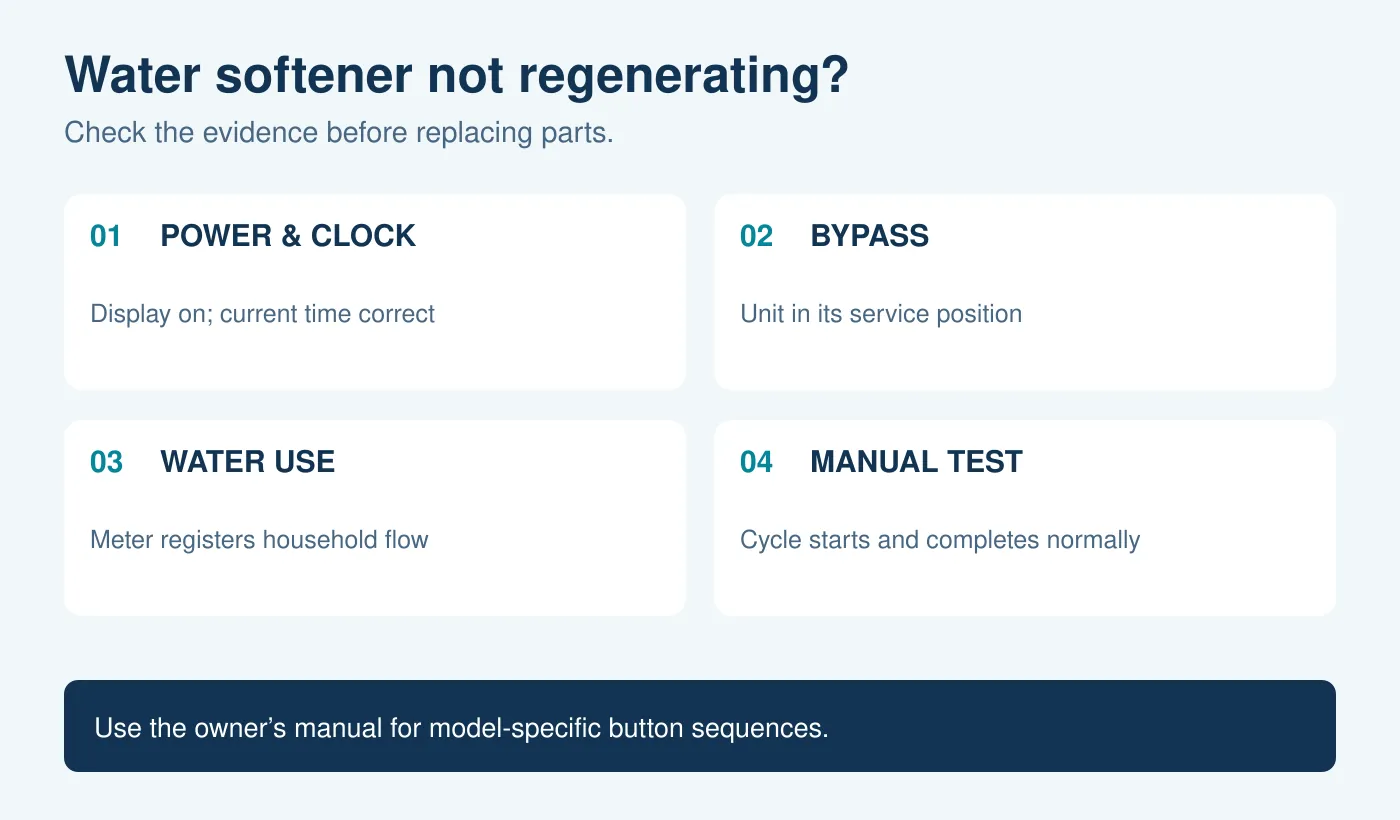
A water softener not regenerating automatically may have a programming, power, bypass, or water-metering problem—but first confirm that a cycle is truly missing. Demand-controlled units can regenerate while you are asleep and may wait longer when water use is low. Review any available cycle history, test the treated water, and then follow the checks below in order.
This guide covers homeowner-level observations for salt-based water softeners. Controller menus, button sequences, valve positions, and diagnostic modes vary by model. Keep the owner’s manual for your exact model open and record settings before changing them.
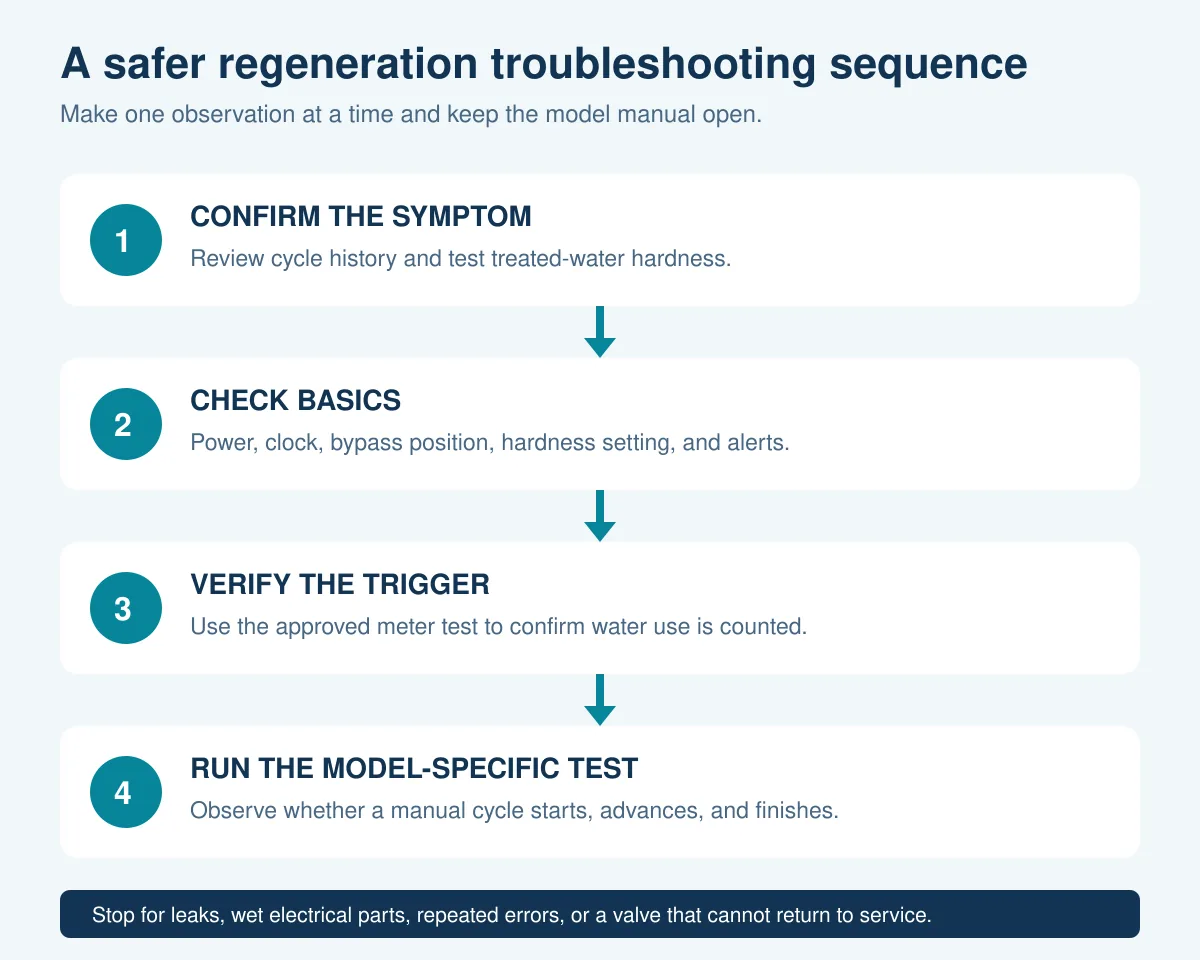
How to tell whether your water softener is not regenerating
Do not use the salt level alone as proof. A demand-initiated water softener decides when to regenerate from factors such as the programmed hardness, recorded water use, and available capacity. Rheem and Whirlpool both direct owners to check the recharge history or pattern before assuming automatic regeneration has stopped. [1] [2]
Collect three pieces of evidence:
- Cycle evidence: the last completed recharge shown by the controller, app, or your own dated observations.
- Performance evidence: a hardness result from a cold-water outlet confirmed to receive treated water.
- Control evidence: the current time, hardness setting, alerts, bypass position, and whether water use is registered.
If you are unsure how often the unit should cycle, read how regeneration frequency works. This article addresses a cycle that appears not to start; it does not set a universal number of days between cycles.
| Observation | What it suggests | What to check next |
|---|---|---|
| No recent cycle in the available history | Automatic triggering may not be occurring | Power, clock, hardness programming, and water-use metering |
| Hard water but a recent cycle is recorded | The cycle may have occurred without restoring performance | Bypass, salt/brine operation, and a post-cycle hardness test |
| Manual regeneration starts normally | The drive can begin a cycle, but the automatic trigger still needs checking | Flow registration and programming |
| Manual regeneration does not start or an error appears | A control, drive, valve, or electrical issue may require model-specific diagnosis | Record the code and follow the manual or contact service |
Water softener not regenerating? Check these basics first
1. Confirm power and the current time
Check that the display is on and the unit is connected to its intended power supply. If the display is blank, inspect only the user-accessible plug, outlet, and breaker steps permitted by the manual. Do not open an electrical enclosure or handle wet electrical equipment.
Confirm that the clock shows the correct time and note whether it is flashing. A power interruption can leave some models with the wrong recharge time even when other settings remain stored. The exact memory behavior varies: GE, for example, documents model behavior in which settings remain but the clock may need correction after a longer outage. [3]
Our guide to resetting a water softener after a power outage explains why correcting the time differs from performing a factory reset. Avoid resetting the controller unless the model’s troubleshooting procedure specifically calls for it, because a reset may erase installation settings.
2. Check that the bypass is in service
Compare the bypass position with the diagram for your installation. The valve must direct household supply water through the softener for a metered unit to record normal treated-water use. Rheem and Whirlpool both place the bypass check before their flow-meter test. [4] [5]
Single push-pull, rotary, and three-valve bypass assemblies use different positions. Do not copy the position from a photo of another model. Use our bypass valve guide to identify the arrangement, then check your installation manual before moving a valve.
3. Review the hardness setting and visible alerts
Compare the programmed hardness with the untreated-water result and the calculation required by the manufacturer. Setting the value to zero or too low can delay automatic regeneration because the controller calculates less hardness load than the home actually has. Setting it too high can cause unnecessarily frequent cycles.
Use the water softener hardness setting guide to organize the measurement and units, but follow your controller’s formula. Photograph any error code before clearing it. A code is more useful to support than a general statement that the unit “does not work.”
Verify that the softener registers water use
On a demand-controlled softener, a failed or absent flow signal can prevent the controller from knowing when capacity has been used. Both Rheem and Whirlpool explain that their flow meter counts softened-water use and instruct owners to watch the diagnostic count while a downstream faucet runs. [4] [5]
- Identify the exact model and find its flow-meter or water-use diagnostic.
- Confirm that the softener is not already regenerating.
- Open the faucet specified by the manual at a point that receives softened water.
- Watch for the display value or flow indicator to change.
- Record the result before leaving the diagnostic screen.
Do not assume every controller uses a “000” screen or the same button. Rheem and Whirlpool use different button labels on otherwise similar checks, and other brands may use a flow icon, app reading, turbine count, or a different diagnostic entirely.
If the indicator changes, the controller is receiving a water-use signal; continue with programming and the manual-cycle test. If it does not change, follow the manufacturer’s meter troubleshooting. Pentair’s 5600SXT manual likewise tells owners to verify that metered systems measure flow and to check meter connection and configuration when a regeneration-failure code appears. [6]
Run one model-specific manual regeneration test
A manual cycle can separate “will not start any regeneration” from “will not trigger automatically.” Use it only after the basic checks and only with the procedure for your model. Confirm that the clock and settings are stable first.
During the test, observe rather than disassemble:
- Does the controller accept the request and show a recharge status?
- Does the motor start briefly or does an error appear?
- Does the valve advance through its documented stages?
- Does the unit finish and return to normal service?
- After the cycle and the manual’s recommended flush or wait, is the treated water softer?
Rheem and Whirlpool publish controller-specific instructions that start a manual recharge by holding the recharge button until the motor begins, but that sequence must not be generalized to every softener. GE distinguishes between “Recharge Tonight” and “Recharge Now,” and tells owners to consult the exact manual. [7] [8]
Let the prescribed cycle finish unless the manual tells you to advance or cancel it. If you are unsure whether a normal cycle is still in progress, compare it with your model’s regeneration duration before interrupting it.
What the manual test result means
The manual cycle starts and completes
This result shows that the controller and drive can begin and complete that observed cycle. It does not prove that every regeneration stage performed correctly or that automatic triggering is healthy.
Return to the flow-meter result and programming. If water use registers and the settings are correct, monitor the next expected automatic cycle. Record the starting capacity or gallons remaining if the controller shows it. If treated water remains hard after the manufacturer’s recovery sequence, investigate salt and brine operation rather than scheduling repeated manual cycles. The guide to a water softener not using salt covers that different symptom.
The manual cycle does not start
Record exactly what happens: no response, a brief motor sound, a stalled transition, a repeated code, or a blank display. Do not replace the flow meter, motor, board, or valve solely from a general checklist. Those symptoms can overlap and the permitted diagnostic steps depend on the controller.
Check the manual’s troubleshooting table for the displayed code. Pentair’s 5600SXT documentation, for example, separates regeneration failure from a memory error and assigns different corrective steps. [6]
The cycle starts but does not finish
A valve that cannot advance or return to service, an error that reappears, or water that keeps flowing to the drain after the expected cycle needs model-specific service. Do not keep restarting regeneration in an attempt to force the valve through the problem.
If drain flow continues after the unit should have returned to service, follow the checks for a water softener draining continuously, use the manufacturer’s shutdown or bypass procedure, and arrange support. This is different from a softener that never begins a cycle.
Test the treated water after troubleshooting
Use a total-hardness test at a cold-water outlet confirmed to receive softened water. Follow the kit’s timing and units, and compare the result with an untreated sample when practical. Our guide explains how to test water hardness at home.
Allow for hard water already stored in the water heater or plumbing. A successful regeneration does not instantly replace every gallon in the house. Use the model’s instructions for when and where to take the follow-up sample.
When to call for service
Contact the manufacturer, installer, or a qualified water-treatment professional when:
- The display stays blank after the permitted power checks.
- The meter does not register water use and the accessible checks do not explain it.
- A manual recharge cannot start or repeatedly stops with an error.
- The valve cannot return to service or drain flow continues unexpectedly.
- There is an active leak, damaged wiring, or moisture near electrical parts.
- Hardness remains high after the complete model-directed recovery procedure.
Have the model and serial number, current settings, error code, meter-test result, hardness readings, and cycle observations ready. That record helps support distinguish a triggering problem from a brine, valve, or treatment-performance problem.
Sources and model-specific instructions
Manufacturer documentation reviewed September 28, 2026. The examples below apply to the equipment covered by each source and do not replace the manual for your model.
- Rheem: Softener Not Recharging Automatically
- Whirlpool: Softener Not Recharging Automatically
- GE Appliances: Water Softener Power Outage Memory
- Rheem: Failure to Meter Water
- Whirlpool: Failure to Meter Water
- Pentair: 5600SXT Softener System Installation and Operation Manual
- Rheem: How Do I Start a Manual Recharge?
- GE Appliances: Water Softener Manual Recharge
Updated October 16, 2026: added a working calculation or simplified overlapping explanations. Examples and records are not field-test results.